Screenshotr
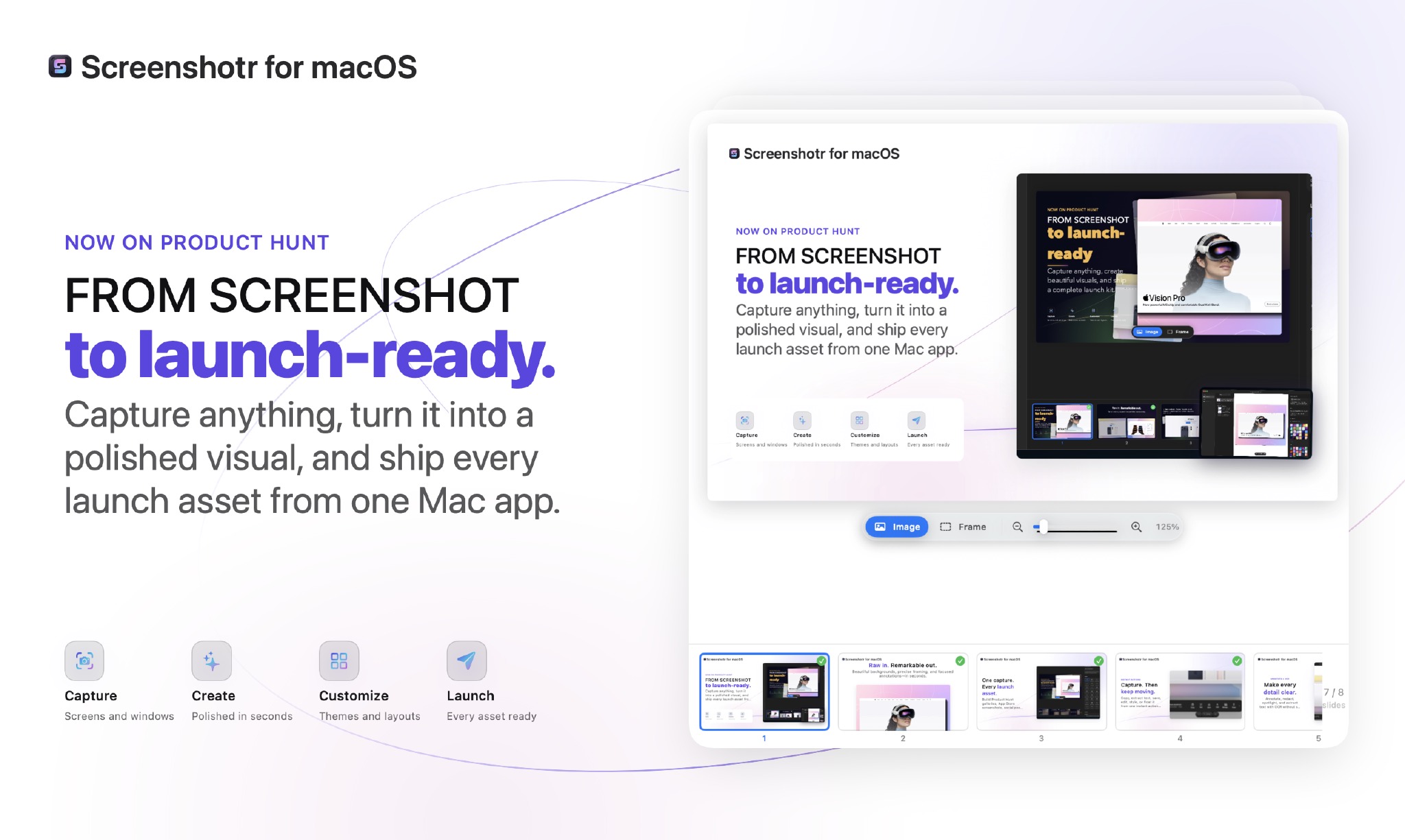
From screenshot to launch-ready.
One-time · 1 year of updates
About Screenshotr
Turn raw captures into launch-ready visuals in minutes. Capture, annotate, redact, style, and build complete Launch Kits for Product Hunt and the App Store—then bring in Codex or Claude Code through MCP.
What you can do
- Capture anything, turn it into a polished visual, and ship every launch asset from one focused Mac workflow.
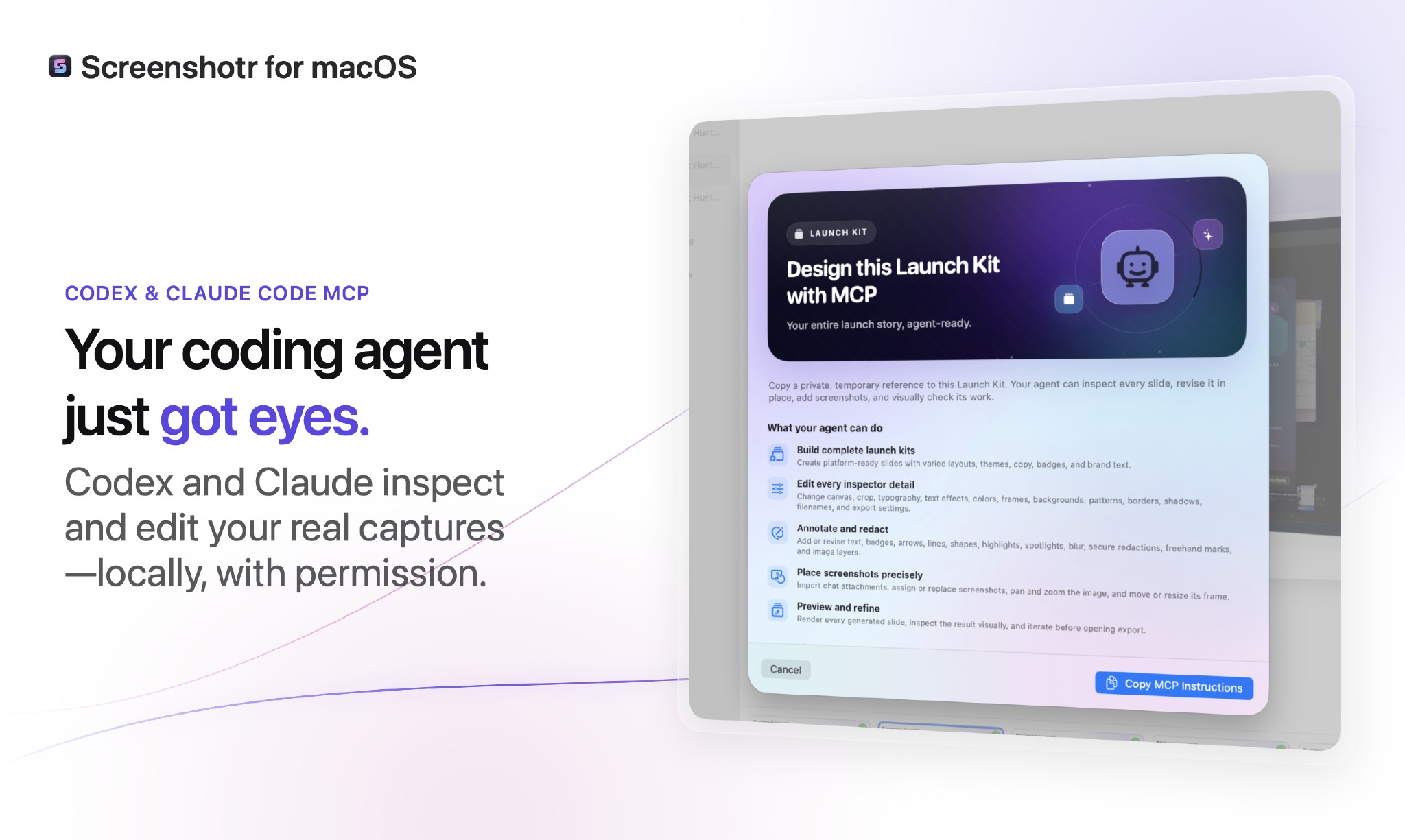
- Let Codex or Claude Code inspect selected captures and build editable visual assets locally, with explicit permission and without taking over your Mac.
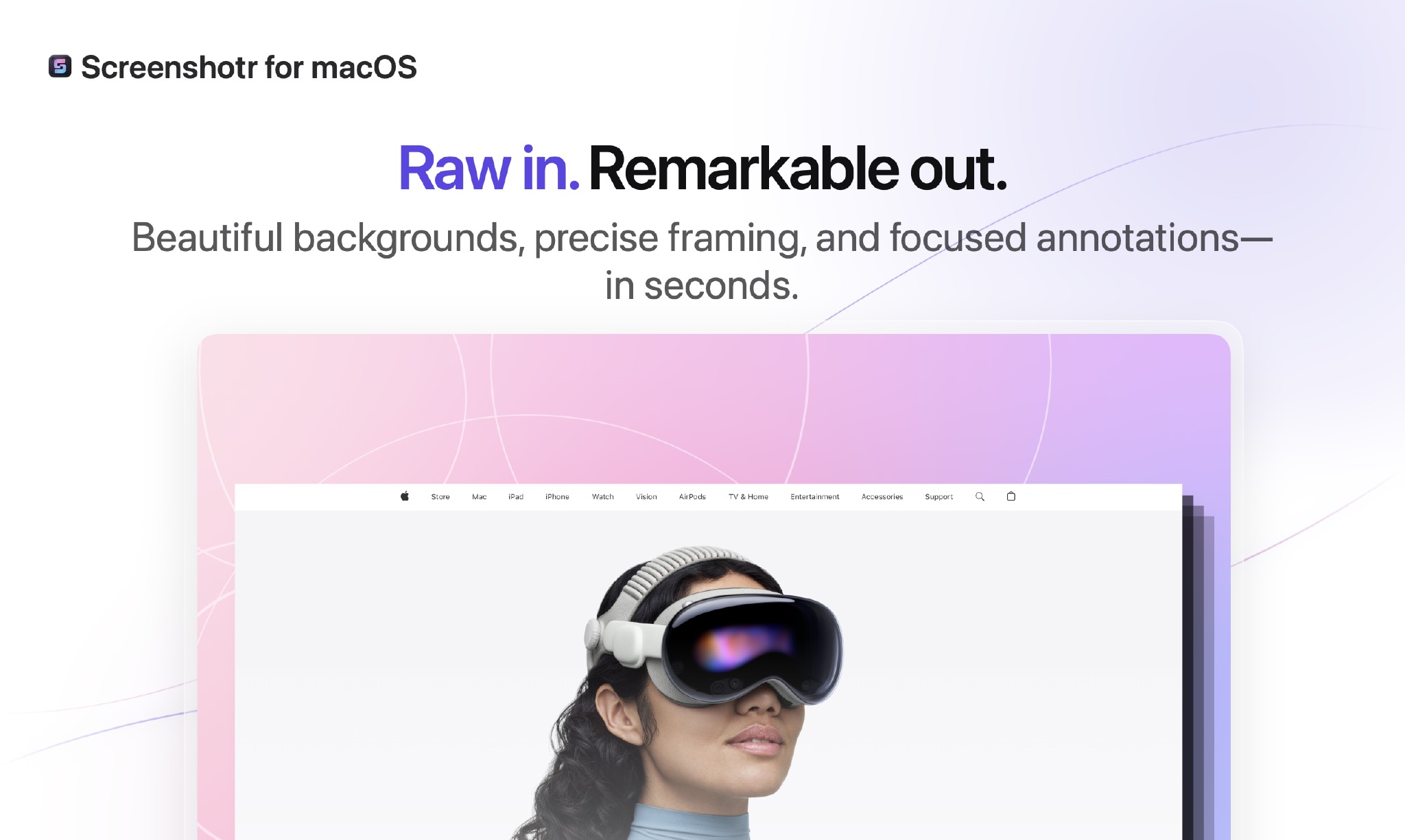
- Turn an ordinary capture into a presentation-ready visual with backgrounds, precise framing, reusable styles, and focused annotations.
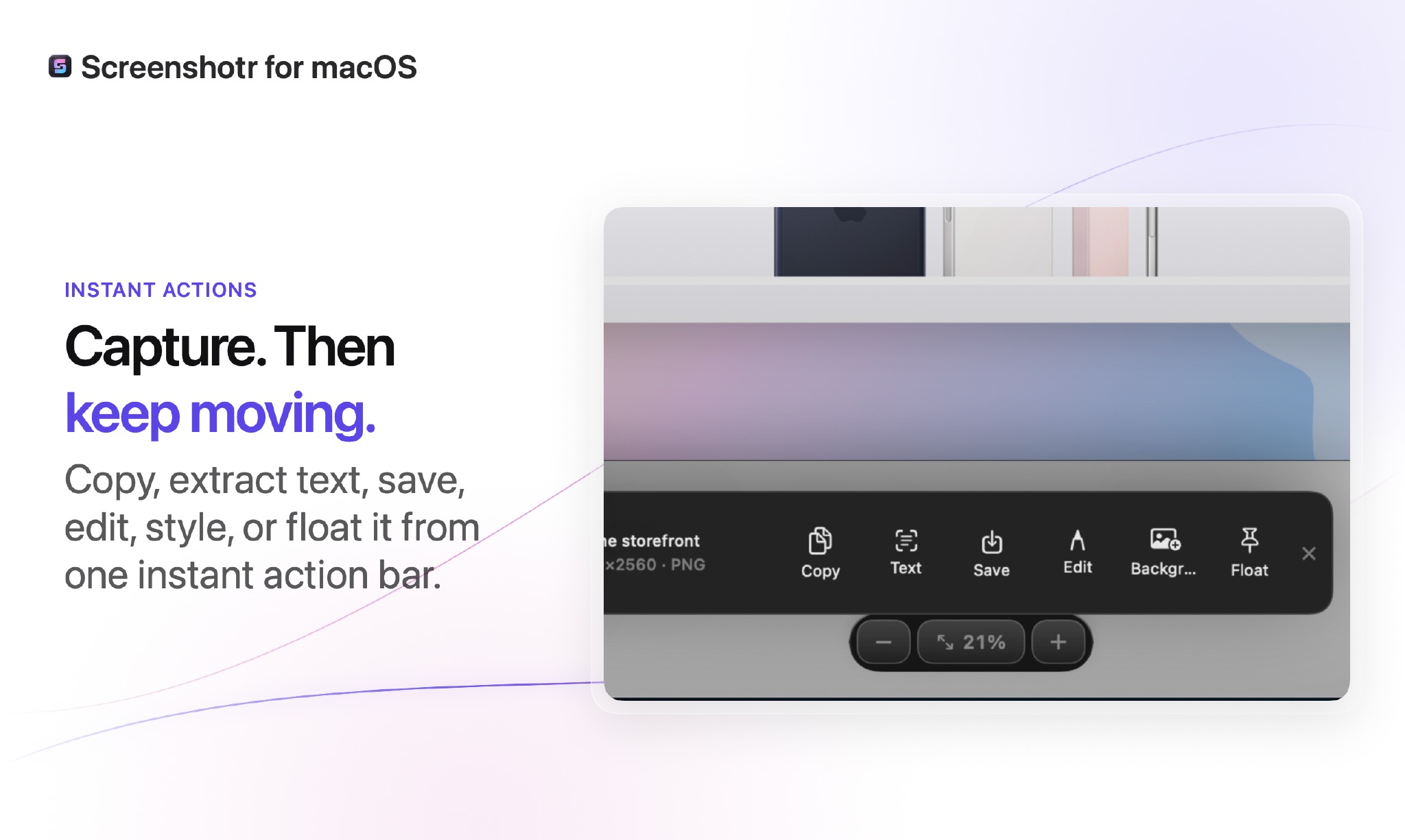
- Copy, extract text, save, edit, style, or float a capture immediately from one compact action bar.
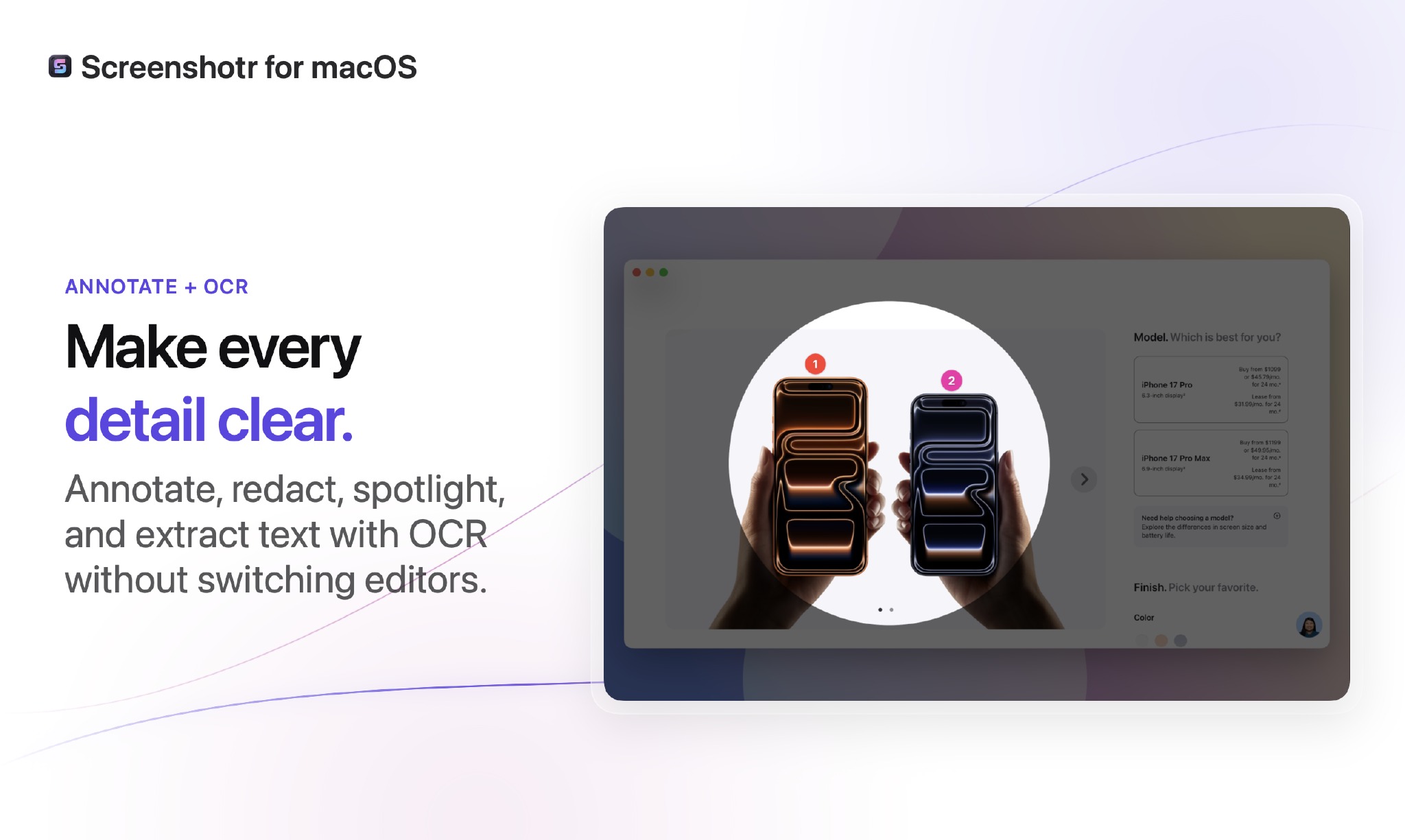
- Annotate, spotlight, blur, redact, and extract text locally with OCR—without switching editors.
- Move from first capture to a complete, coordinated launch kit in Screenshotr for macOS.
At a glance
Everything included
- Capture areas, windows, full screens, and scrolling content
- Connect Codex and Claude Code through MCP
- Share only selected screenshots with temporary agent access
- Build editable multi-slide Launch Kits
- Extract text locally with OCR
- Annotate, spotlight, blur, and redact sensitive details
- Apply backgrounds, frames, padding, patterns, and shadows
- Save reusable visual presets for consistent output
- Compose in Product Hunt, App Store, social, and presentation sizes
- Preview and refine every generated slide
- Export complete slide sets with custom filenames
- Copy, save, edit, style, or float captures from the instant action bar
Details
$9One-time purchase
1 yearof free updates
UniversalApple Silicon & Intel
14.4 MBNotarized by Apple
Version1.3.6
Size14.4 MB
RequiresmacOS 14.0
ArchitectureUniversal
CategoryGraphics & Design
UpdatedAug 1, 2026
Free updates1 year included
Verified developerIdentity checked
Apple notarizedChecked by Apple
Reviewed by AppUnboundHand-tested by our team
Version history
v1.3.6
Fix global capture shortcuts after development and application relaunches by retrying transient Carbon hotkey conflicts.
v1.3.5
Fix image copy, share, and export actions; expand Launch Kit styling and AppUnbound VM tooling.
v1.3.4
Fix image copy, share, and export actions; expand Launch Kit styling and AppUnbound VM tooling.
v1.3.4
Added consistent icons to every macOS menu bar action and submenu.
v1.3.3
Adds per-slide pattern controls and fixes capture sidebar date spacing.
v1.3.2
Faster capture-library browsing with recent/archive filters, search, and pagination.
v1.3.1
Fixed MCP setup so Codex, Claude Code, and other clients can register Screenshotr without CLI detection.
v1.3.0
Added designer annotations with rotatable Swoosh arrows and richer typography controls.
v1.2.0
Expanded Launch Kits with cinematic layouts, richer styling controls, cross-platform exports, enhanced automation, and a refreshed app icon.
v1.1.1
Added automatic updates and a Check for Updates command, improved Launch Kit designs and thumbnail scrolling performance.
v1.0.0
Release update
Good to know
How do I get the app after buying?
You get an instant download plus a license key the moment you pay — sign in with the same email to find it in your library anytime.
What about updates?
Your purchase includes one year of free updates. After that the app keeps working — you just choose whether to renew for the newest versions.
Is it safe to install?
Yes. Screenshotr is notarized by Apple and hand-reviewed by AppUnbound before it ever reaches the store, so it installs cleanly with no security warnings.
What do I need to run it?
A Mac on macOS 14.0 or later. It runs natively on both Apple Silicon and Intel.
Customer reviews
Every review comes from a verified purchase. Only profile first names are shown publicly.
No customer reviews yet. If you own this app, you can be the first to share your experience.
Bought this app?
Sign in to write a verified review.
Ready when you are.
One-time · 1 year of updates
How Screenshotr compares
Screenshotr$9